
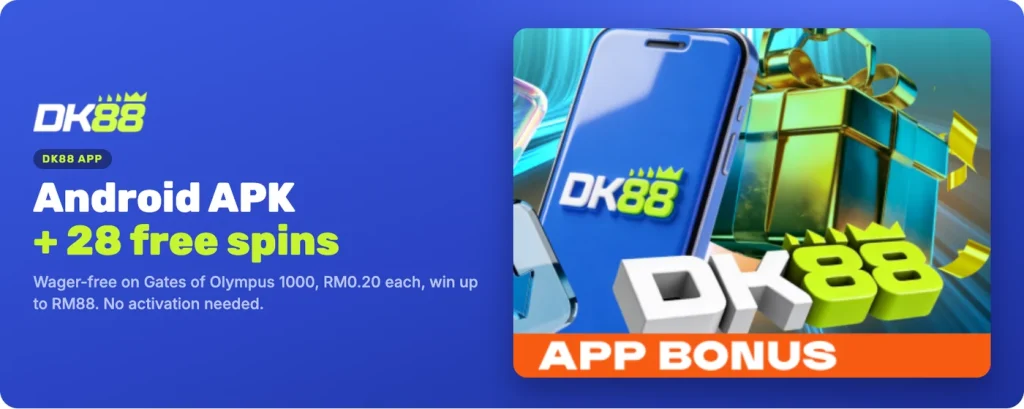
The DK88 app puts the lobby, the cashier and your account on the home screen of your phone. On Android it is a real app, installed from our own APK file. On iPhone there is no App Store download: the DK88 Casino app is added to your home screen from Safari in five taps. Either way you sign into the same account, with the same balance and the same active bonuses as in the browser.
Android users also pick up a reward for installing. Below are both routes, the free spins attached to the Android app, and the one rule about where the file may come from.
| Detail | DK88 app |
|---|---|
| Android | Real app, installed from our APK |
| iPhone | Home-screen app added from Safari |
| App Store listing | None |
| App bonus | 28 wager-free free spins on Gates of Olympus 1000 |
| Spin value | RM0.20 |
| Maximum win from the spins | RM88 |
DK88 app download for Android
The DK88 app download for Android starts inside the lobby itself, not in a store. Press Log in on your phone, then open App in the round shortcut row at the top of the lobby. That page carries a QR code and a Download for Android button. Tapping the button on the phone downloads the file directly; scanning the QR code is the easier option when you are reading this on a laptop and want the file to land on your handset instead.
Once the install finishes, the DK88 icon sits with your other apps and opens straight into the lobby.
Installing the DK88 APK on your phone
The DK88 APK installs the way any file from outside a store does. Android generally asks, once, whether the browser or file manager you used may install apps; you grant that permission for this install, and you can switch it back off straight afterwards if you prefer. Nothing else on the phone is affected by that choice.
- Press Log in on your phone. Use the Log in button at the top of this site so the app opens on your own account afterwards.
- Open App in the round shortcuts. The shortcut row sits above the game sections in the lobby.
- Press Download for Android, or scan the QR code. Both deliver the same file.
- Allow the install for this file. Confirm the one-off permission your phone asks for, then tap Install.
- Open DK88 and log in. Same username, same password, same balance.
28 wager-free free spins for the Android app
Installing the Android app earns the Android App Exclusive: 28 free spins on Gates of Olympus 1000, valued at RM0.20 each. That is RM5.60 of spin value, and you can win up to RM88 from them.
There is nothing to activate. No promo code, no qualifying deposit, no tick box. Install the app and the reward is yours, and because these spins carry no wagering requirement you keep whatever they pay out. That makes them one of the few offers on the platform you can take without first choosing a bonus in the cashier.
DK88 on iPhone and iOS
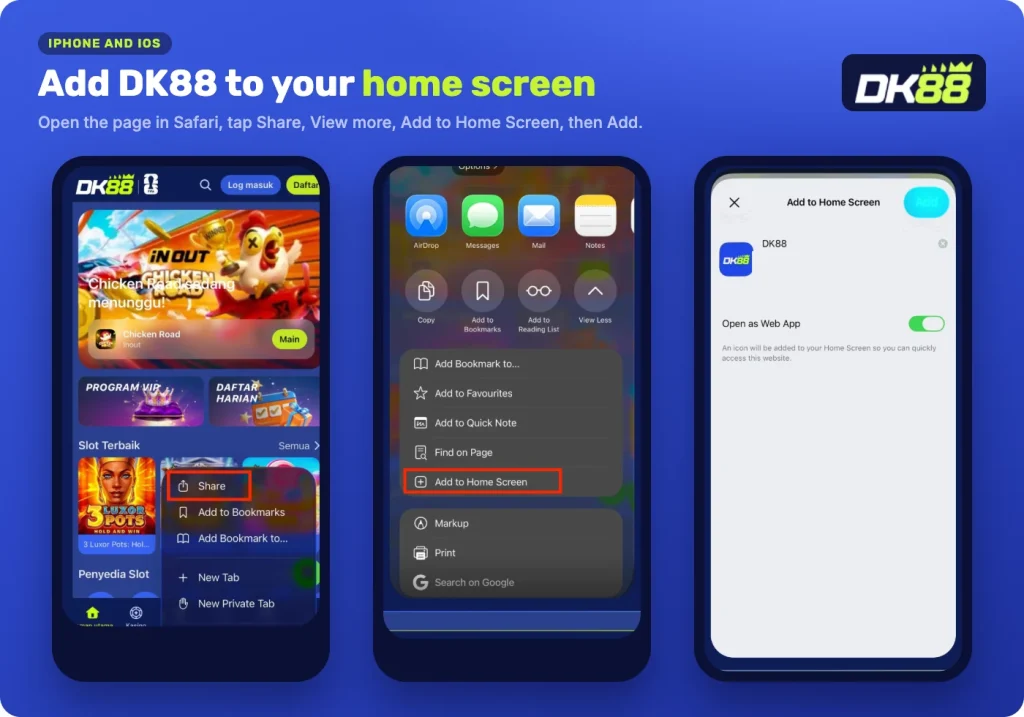
There is no App Store app, so iOS works differently. Instead of a store download, Safari saves the DK88 Casino app to your home screen as a web app, which then opens full screen without the browser bars around it.
Open the lobby in Safari on your iPhone, then:
- Tap Share in the menu bar.
- Tap View more.
- Tap Add to Home Screen.
- Leave Open as Web App switched on.
- Tap Add.
The confirmation reads: You are now ready to start using the DK88 Casino app. The icon now sits on your home screen and behaves like any other app on the phone.
Why the iPhone app installs from Safari
A home-screen web app is a standard iOS feature rather than a workaround. Safari keeps the address, the icon and the full-screen setting, so the saved shortcut loads the lobby without the browser interface and without anything to update manually.
Android gets the APK and the 28 wager-free spins; iPhone gets the home-screen app from Safari. Both open the same lobby.
One account on every screen
The app is not a separate product with separate credentials. Your username and password are the same, your ringgit balance is the same, and any bonus you have running continues exactly where you left it. Deposits made in one place show up in the other because there is only one account behind both.
That also means the usual account rules carry across unchanged: one account per person, and accounts that share a household, device or IP address may be treated as one. Signing in follows the same steps on a phone as on a desktop, so there is nothing extra to set up after an install.
If you ever lose access, our Online Chat support can help you back into the account; the app does not need a second registration.
The Mobile App icons for Android and Apple also sit in the lobby footer, which is the quickest way back to the download page if you change phones.
Downloading safely
Take the file from one place only: the Download for Android button, or the QR code beside it, in the main lobby. That is where we publish it and the only version we stand behind.
We never send installation files or login links through chat, messaging apps or social media. If something arrives that way claiming to be our app, ignore it. The same applies to links promising a quick way in: open the lobby with the Log in button here or from the app you installed yourself, and nothing else.
Once the app is on the phone, keep your credentials private. Activity carried out by anyone using your username and password counts as your own, so sign out before you hand a shared phone to someone else.
FAQ
Is there a DK88 app for iPhone?
There is no App Store listing. On iPhone you add the DK88 Casino app to your home screen from Safari using the Share menu and Add to Home Screen. It then opens full screen like an installed app, and Open as Web App stays switched on.
Where do I find the APK download?
Inside the lobby. Press Log in on your phone, open App in the round shortcut row, and use the Download for Android button or scan the QR code shown on that page. That button is the only place we publish the file.
How do I get the 28 free spins for the app?
Install the Android app and the reward is yours, with no activation step and no promo code. The spins are worth RM0.20 each on Gates of Olympus 1000, they carry no wagering, and you can win up to RM88 from them.
Can I use my existing account in the app?
Yes. The app signs you into the same account you already have, with the same balance and bonuses. There is no second registration and nothing to transfer between the app and the browser.
Is the DK88 APK safe to install?
Install it only from the Download for Android button or the QR code in our lobby. We never send installation files or login links through chat, messaging apps or social media, so treat any file offered that way as something to ignore.